





Freedom to teach!
Keep your schools laptops and tablets fresh and operational with School IT Manager from Rosberg.
We have observed that while the number of computers in schools today has risen, often there are very few resources to manage them. Statistics reveal that by one year after date of purchase, up to one-third of the laptops acquired are either nonfunctional or missing. At the same time, schools have limited funds to implement those management systems that a private corporation with as many laptops typically would be unable to do without.
The result: Teachers and students waste too much time trying to get their equipment operational, and this takes their focus away from the education.
Our solution is an affordable, enterprise-level management system for school laptops. It keeps the computers up to date and easy to install, and provides a remote service center ready to assist when needed, even accessing the computer screen when users have problems.
Background
The School IT Manager began as an experiment we did with a group of eight schools in Norway. These are schools with students from six to sixteen years old. Teachers here are like teachers all over the world, frustrated when the school computers dont work and feeling as if they are wasting their time trying to get a collection of computers to work for an entire class. Adding to the inefficiency was the central IT department, which was wasting time reconfiguring computers and diverting their time and resources away from the important jobs that needed to get done. Warranty issues were also problematic in that IT personnel had to go onsite to diagnose problems or schools had to send laptops away for simple repairs.
After implementing the system, these issues changed dramatically. When laptops were remotely managed, the teachers routinely found them to be operational and functional. This led to a significant increase in computer use in classrooms, as teachers didn't have to worry about malfunctions. They now know that if a laptop has problems, all they have to do is restart it and from the BIOS screen press F11 and select reconfigure. Within an hour the laptop is as good as new, and they don't need to send them away to be serviced anymore.
In the same way, the IT department can schedule full reconfiguration of all the laptops in the school over weekends, maybe once a month, thereby restoring them to like-new condition in terms of performance and speed. This also dramatically reduced the requests for warranty repairs, as only the computers not responding to the reconfiguration process will be remotely assessed by the IT department. If remote diagnosis fails, only then will the laptop be returned to the IT department and if necessary, to the vendor.
After running the system over a period of time, the teachers gained much brighter outlooks regarding their use of school computers. They are now happy with their equipment and with the service, the laptops are used a lot more for education, and the IT department spends only a fraction of their time on repairs and maintenance compared to what they were doing before.
Verji™ Box
Rosberg System revolutionizes school computing costs by using specially designed and configured Verji(R) Boxes in the school solution. This is a complete computer with storage and access point bringing great benefits to schools. They replace old access points and give you a small server in the classroom at a cost no greater than that of a normal access point.
The Verji™ Box, which we also use for our management system, acts as a full-fledged access point in the classroom. Each box contains a hard drive with the ideal capacity of 500 GB, where patches and updates can be transferred during nighttime, saving valuable bandwidth for the important school hours.
These patches and updates will then be transferred locally from the box to the individual computers or tablets. In addition, the hard drive may be used as a local file-sharing source for students in the classroom or for other shared file resources. The box also contains a RADIUS agent and may act as a regular access point for most known wireless management systems.
In short, we have an enterprise level management system with all the functionality these systems have adapted for the school sector. This at an affordable price the school sector is willing to pay.
School IT Manager
School IT Manager, or SIM, enables secure management of all types of computer systems and environments. It handles any platform for the client side while the server runs on a Linux-based machine.
SIM provides you with exclusive tools to manage your computer system in complete safety.
This system can be delivered as a cloud service for schools from our partner in Barcelona or as a service provided by the distributor. Alternatively, customers may provide it themselves if they have IT departments.
SIM handles upgrades and keeps information systems operational irrespective of the type, number and location of the target platforms.
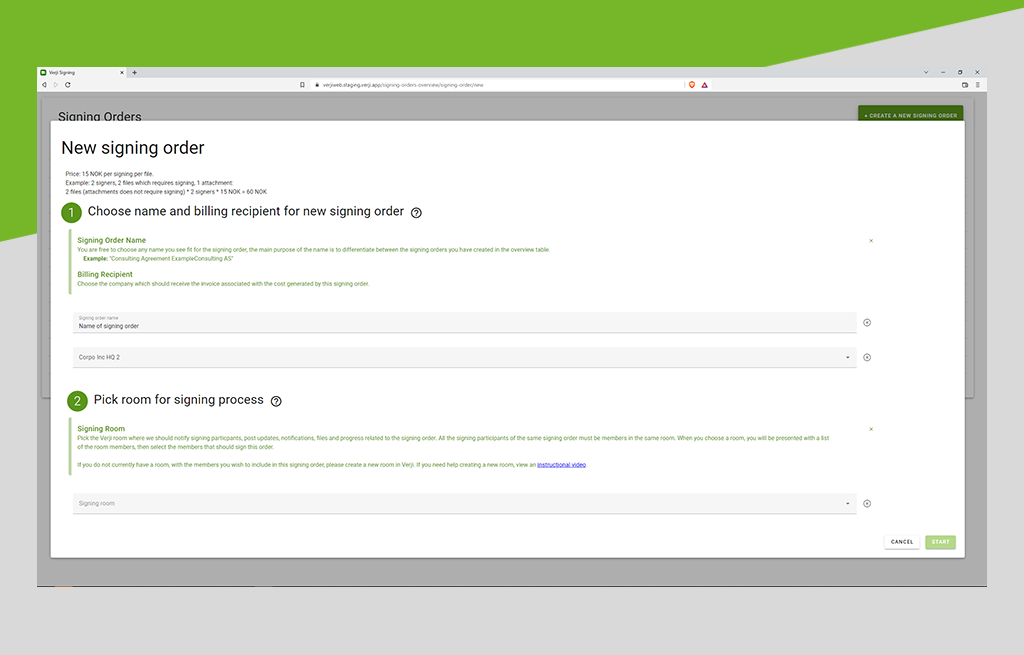
Administration is carried out via a single web console with a simplified and intuitive interface. You manage all your proprietary GNU/Linux, Windows, Mac and Unix systems centrally, whether they are gathered on one site or scattered over a wide area.
With SIM, you benefit from both an overall view of your system and a view of each entity.
Integration with existing systems
SIM can integrate easily with existing types of information systems and can use existing data references. For example, it can connect to the existing company directories or the account immobilization systems.
SIMs documented API allows fast and maintainable integration with other dynamic groups existing components, such as GLPI. This ensures consistency of information and lets you avoid any additional costs involved in adapting the solution to your computer network.
With SIM, you can schedule operations to control your timetable and optimize bandwidth. Consistency and compliance of your application catalogue are guaranteed.
A complete inventory
With SIM, you benefit from a complete and customizable hardware and software inventory. The inventory criteria enable you to create dynamic groups that can be used for deployments. The updating processes are automatic, reducing your IT teams workload, and are transparent to users in order to preserve their productivity.
Imaging/disk cloning
SIM allows cloning of machines and creation of masters. You can deploy, back up or reinstall a particular machine or thousands of them (in unicast or multicast) from a master. The supported file systems are numerous (e.g., NTFS, FAT16, FAT32, ext2, ext3, ReiserFS, XFS), you can choose between partitions during backup and recovery.
Teledistribution
SIM takes advantage of the existing infrastructure to provide a multiple-platform remote deployment service, even in remote installations where bandwidth is limited. Deployment, whether singly or in functional and technical groups, can be scheduled outside working hours to suit the customers.time constraints. Installation is quick, simple and safe.
Active Directory Server for administration delegation
SIM incorporates Active Directory Server for administration delegation in order to define the scope of intervention of the various employees, as well as their rights on this scope, thanks to more than 100 rules of access (ACL). Because you can monitor the progress of actions launched at any time via reporting indicators, you benefit from traceability of actions and compliance with regulatory requirements.
Secure remote control
SIM makes it possible to log in remotely via a secure connection (SSH).
Key Functionalities
Deployment of applications Deployment of patches and updates Imaging (disk cloning) Software inventory Hardware inventory Support heterogeneous platforms Distributed architecture Scalability Bandwidth regulation Management of any computer environment Integration with existing systems Advanced functionalities Easy to use License compliance Delegation of administration with LDAP and Active Directory Server Unique web administration console Wake-on-LAN functionality